

Flyingbee PDF Converter for Mac
- Trial version
- 4.2
- V10.2.4
Download for Mac
View an ad to download for free
All in one PDF Converter, Convert PDF to Office, Image and more accurately
Offline Convert PDF, No Internet Required, 100% Process on your Mac, Privacy-safe.
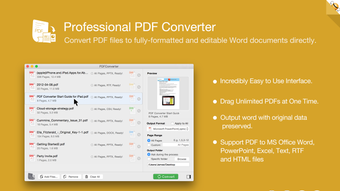
A great PDF converter should be able to keep the original look of the PDF file after data reconstruction, and make the output document easier to edit, but Flyingbee PDF Converter All-in-One provide accuracy in formatting and content preservation!
Flyingbee PDF Converter can export PDF files to fully-formatted and editable office documents with exactly preserved original texts, images, layouts, hyperlinks, tables, and bezier graphics. So you don’t need to spend hours tweaking the output documents.
How to convert PDF to Office on Mac?
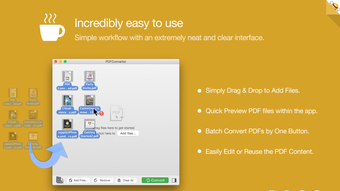
It takes only 3 steps to convert a PDF file to Word/Excel/PPT document.
1. Add PDF files (Support drag and drop).
2. Select output formats and folder.
3. Click 'Convert' button and wait for the output file;
View PDF file right in the built-in PDF reader before conversion.
Main Features:
+ No learning curve, easy-to-use PDF Converter.
+ Conversion 100% process locally.
+ Convert PDF files to fully-formatted and editable Microsoft Word (.docx) documents in High Quality.
+ Rich Choices of Output Formats, including Microsoft Office (Word, Excel, PowerPoint), CSV, TXT, Element and image formats.
+ Add unlimited PDFs at one time.
+ Batch convert PDFs by one button.
+ Easily edit or reuse the PDF content.
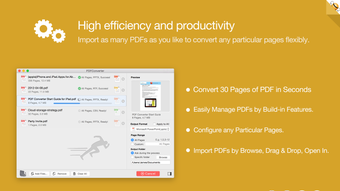
High efficiency and productivity
Import as many PDFs as you like for converting any particular pages flexibly.
• 3 Ways to add PDFs by browse, drag & drop, and open in.
• Easily manage PDFs by build-in insert, rearrange, delete and open feature.
• Configure any particular pages (e.g. 1,2-16,35 or all pages) to meet your needs.
• 100% fast speed to process PDF file locally.
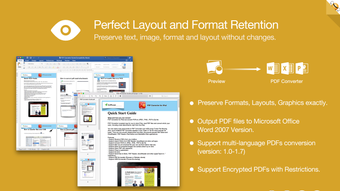
Perfect accuracy and layout, formatting retention
All the elements including text, image, format and more will be preserved in Word documents.
• Preserve original texts, images, layouts, hyperlinks, tables, and graphics exactly.
• Preserve stroking or filing vector graphics, including lines, arrows, rectangles, and pen bezier paths.
• Convert encrypted PDFs with copying and printing restrictions.
• Convert Adobe PDF in Multi-languages and Version from 1.0-1.7
• Output PDF files to Office 2007 Version (.docx), which can be opened by 2007 and the latest Office apps.
Recently, it has added OCR AI text recognition. For scanned documents, please choose the ocr language that matches the document, as this can significantly improve recognition accuracy.
Loading…
App specs
License
Trial version
Version
10.2.4
Latest update
Platform
Mac
OS
macOS 10.15
Language
English
Available languages
- Spanish
- English
- French
- German
- Italian
- Portuguese
- Russian
- Chinese
- Korean
- Japanese
Size
53.82 MB
Developer
- Flyingbee Software
- More programs (9)
Program available in other languages
Flyingbee PDF Converter for Mac
- Trial version
- 4.2
- V10.2.4
Download for Mac
View an ad to download for free
User reviews about Flyingbee PDF Converter
Have you tried Flyingbee PDF Converter? Be the first to leave your opinion!
Add reviewTop downloads Office Suites for Mac
Top downloads Office Suites for Mac

Microsoft Word
A free tool that empowers your productivity
Microsoft Excel
Structured spreadsheets for serious data work
Microsoft PowerPoint
Presentation control for clear slide narratives

Microsoft Office 2016
Download Microsoft Office for Mac: Word, PowerPoint, and more

Microsoft Office 2024
Download Microsoft Office 2024: Current, familiar, and essential
Top downloads Office Suites for Mac
Microsoft Word
A free tool that empowers your productivity
Microsoft Excel
Structured spreadsheets for serious data work
Microsoft PowerPoint
Presentation control for clear slide narratives
Microsoft Office 2016
Download Microsoft Office for Mac: Word, PowerPoint, and more
LibreOffice
Comprehensive Free Office Suite for Mac
Related topics about Flyingbee PDF Converter
Latest articles

Stephen King’s The Dark Tower is back: it did the multiverse years before Avengers: Doomsday

Jessica Jones has no new power: Marvel still hasn’t confirmed it
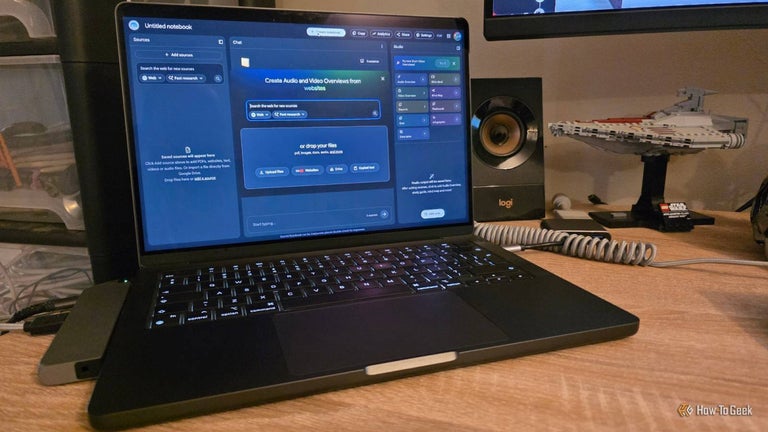
Workplace automation tools in 2026: 4 worth trying right now
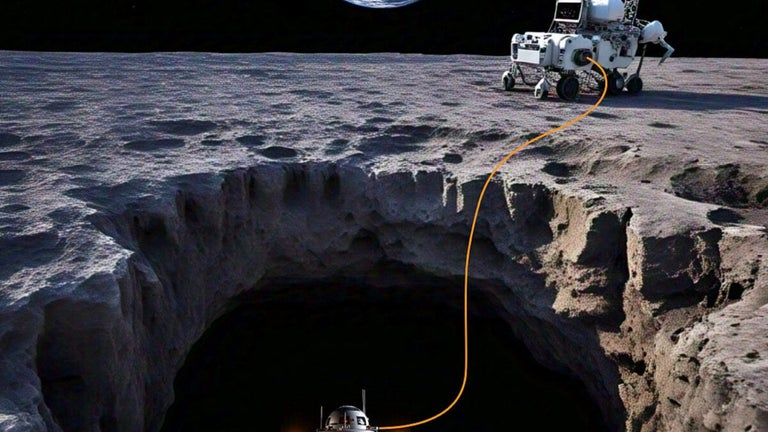
NASA funds laser-powered LUX drone for Moon caves: it can reach pits rovers can’t

Spotify tops 300 million Premium subscribers in Q2 2026
Laws concerning the use of this software vary from country to country. We do not encourage or condone the use of this program if it is in violation of these laws. Softonic may receive a referral fee if you click or buy any of the products featured here.